
Credit education · Product comparison · Reviewed September 9, 2026
A credit report can show you balances, credit limits and payment statuses without making any of them easy to understand. An AI credit report analyzer can help turn those details into readable explanations. But the label covers very different products: some read a file you already have, while others connect to a credit-monitoring account or organize disputes.
Our first pick for free, plain-English report education is My Credit Signal. Below, we compare it with CreditKaren, Credit Versio, Experian EVA and Dovly AI, including where each option is useful and where it may fall short.
Publisher disclosure: My Credit Signal publishes this guide and operates the first tool listed. We place our own product first; this is not an independent ranking or a measured accuracy league table. We reviewed current public interfaces and provider documentation, not paid-account outcomes across every service. Prices are in US dollars where shown and can change.
Contents
- 1 AI credit report tools at a glance
- 2 1. My Credit Signal: our pick for understanding an existing report
- 3 2. CreditKaren: a free PDF review alternative
- 4 3. Credit Versio: linked reports and a DIY dispute workflow
- 5 4. Experian EVA: questions inside an Experian account
- 6 5. Dovly AI: ongoing TransUnion monitoring and dispute features
- 7 What a useful credit report analysis should explain
- 8 What should you upload?
- 9 Common questions
- 10 The bottom line
AI credit report tools at a glance
Start with the job you want done. Reading an existing report, receiving ongoing updates and preparing a dispute are separate needs. Not every option below is a PDF-upload analyzer.
| Tool | Main use | Cost snapshot |
|---|---|---|
| 1. My Credit Signal | Explain a report you already have | Free; optional free account for saving |
| 2. CreditKaren | PDF review and possible accuracy flags | Free educational review |
| 3. Credit Versio | Linked-report analysis and DIY disputes | Required report subscription; listed from $27.95/month, plus postage |
| 4. Experian EVA | Conversational credit and money assistance | Available in free or paid Experian accounts |
| 5. Dovly AI | TransUnion monitoring and dispute features | Free tier; Premium annual offer listed at $99.99/year |
Cost and feature details are linked in each review. Check country eligibility and the exact plan: sharing a bureau name does not guarantee support for every country’s report format.
1. My Credit Signal: our pick for understanding an existing report
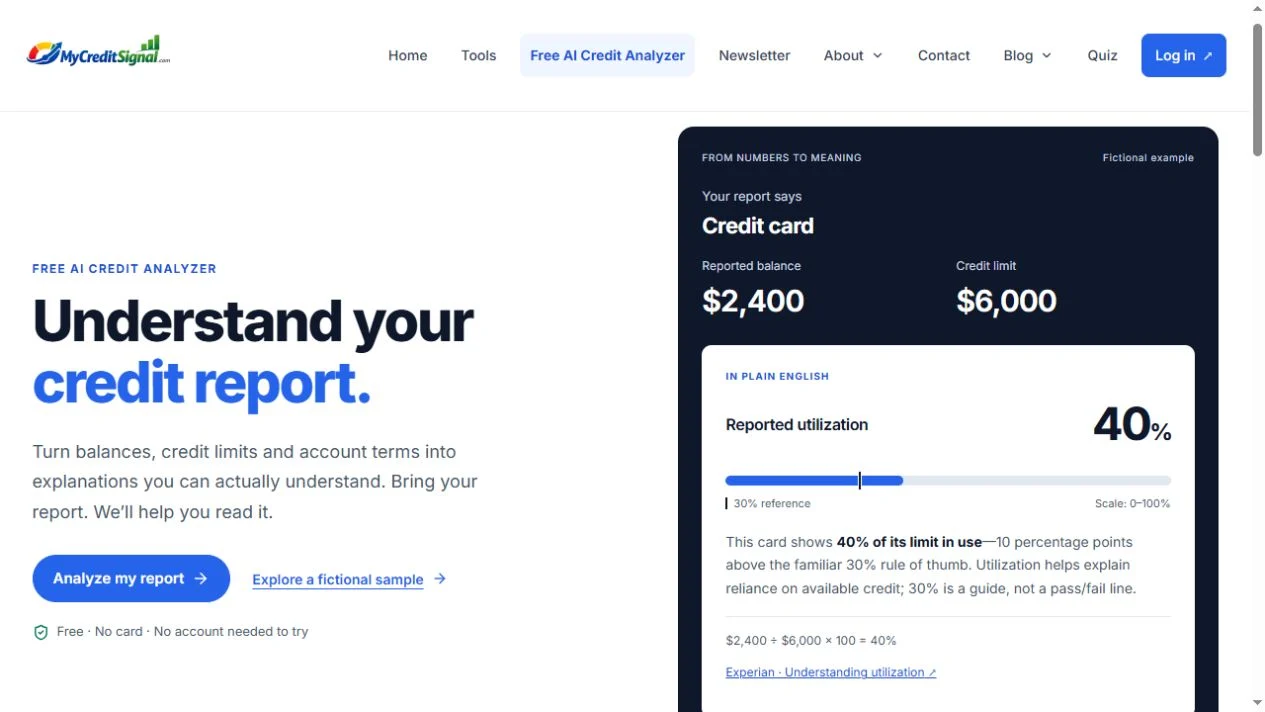
The free My Credit Signal AI Credit Analyzer starts with a PDF, PNG or JPEG you choose. You review the extracted fields, correct anything missing or mistaken, then read explanations of supported account information. You can explore a fictional sample before selecting a file.
Pros
- Free to try without an account or payment card. Sign-in is needed only for optional dashboard saving.
- Explains the numbers together. A reported balance and limit become a visible utilization calculation, with context rather than an unexplained warning.
- Clear review step. You can correct extracted values before using them. The app also offers printing and downloading reviewed facts.
- On-device document reading. The file-reading workflow uses local OCR and parsing rather than sending your report to a hosted generative chatbot.
Cons
- One bureau report at a time. Equifax, Experian and TransUnion are offered, but combined three-bureau reports are not supported.
- Extraction is not universal. Unfamiliar layouts, blurry images and detailed payment-history grids may require manual work. The current limits are 20 MB and 30 PDF pages.
- Not ongoing monitoring. It does not fetch fresh bureau reports or predict the score a lender will use.
Good fit: someone asking, “What do these balances, statuses and terms on my report mean?” Dashboard saving keeps reviewed supported facts rather than the original report; see the privacy policy for details.
Start with an example, then your own report. See how the explanation works before choosing a document.
Try My Credit Signal — free2. CreditKaren: a free PDF review alternative
CreditKaren describes an educational PDF-review service for US residents. Its upload screen separates the three major bureaus, and its process guide explains how it highlights entries a reader may want to examine more closely.

Pros
- A free educational review, with no paid tier described in its process guide.
- Explanations of possible inconsistencies, such as duplicate-looking accounts or unfamiliar inquiries.
- Optional draft letters and a separate library of educational guides.
Cons
- Designed for US residents; the documented upload route is PDF-focused.
- Browser text extraction does not mean fully local analysis: its process guide says extracted text is sent for AI analysis.
- An email is collected before analysis for usage limits, and session results are not a persistent dashboard.
Good fit: a US reader comparing free PDF-review options. Read the data-handling policy; an AI flag is a reason to review an entry, not proof it is inaccurate.
3. Credit Versio: linked reports and a DIY dispute workflow
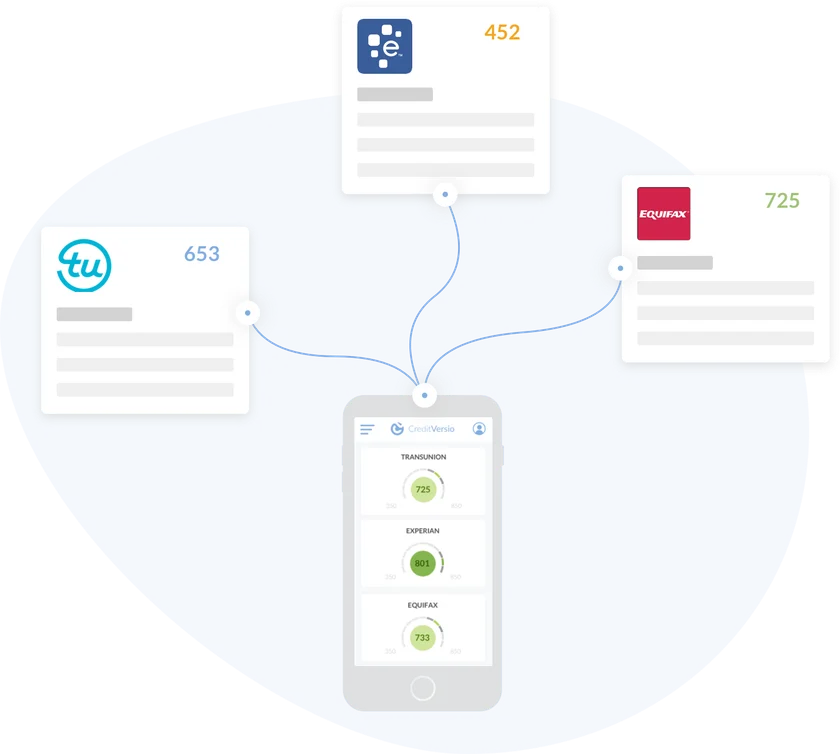
Credit Versio’s documented workflow imports a linked three-bureau report, analyzes negative accounts and helps organize dispute letters and subsequent results. Its focus is different from simply explaining a screenshot.
Pros
- Brings linked reports from three bureaus into one workflow.
- Combines report review, letter preparation and progress tracking.
- Includes educational video resources.
Cons
- The software is described as free, but a qualifying report subscription and letter postage are required.
- The current pricing page lists SmartCredit plans at $27.95 or $29.95 per month after the advertised trial.
- Its linked-report and dispute focus is more involved than a one-off report explanation. A prepared letter does not establish that a reported item is wrong.
Good fit: someone specifically seeking a structured DIY dispute workflow, rather than a free upload-and-explain tool.
4. Experian EVA: questions inside an Experian account
EVA, the Experian Virtual Assistant, offers conversational help within Experian. Its scope includes credit questions and, with connected financial accounts, spending and cash-flow insights.
Pros
- Available within both free and paid Experian accounts.
- Credit questions and membership help do not require connecting a bank account.
- Can combine credit context with broader money-management information when accounts are connected.
Cons
- Requires an Experian account; it is not presented as an independent upload-any-bureau-PDF tool.
- The broader money features need additional financial-account connections.
- Its experience can include third-party credit offers, so assistance and product discovery share the same environment.
Good fit: an existing Experian member who prefers conversational questions to a separate document-reading workflow.

5. Dovly AI: ongoing TransUnion monitoring and dispute features
Dovly’s current plan comparison centers on recurring TransUnion report access and credit-management features, rather than explaining a PDF you bring yourself.
Pros
- The free plan lists a monthly TransUnion report and score.
- A free manual-dispute tool is listed; Premium adds automated AI dispute support and weekly report access.
- A continuing account-based workflow can suit people seeking updates over time.
Cons
- The listed report and dispute coverage is TransUnion, not an all-three-bureau upload comparison.
- Premium costs extra: the observed annual offer was $99.99, billed yearly, not $8.33 billed monthly.
- Separate money features carry separate pricing. Confirm the selected plan and renewal terms.
Good fit: someone seeking recurring monitoring and dispute features. We have not independently verified the provider’s advertised score-improvement outcomes, and do not use them to rank these tools.
What a useful credit report analysis should explain
A good explanation should connect a number to its label, show any calculation and distinguish what the report says from what remains unknown. Consider a fictional card with a reported balance of $2,400 and a reported credit limit of $6,000.
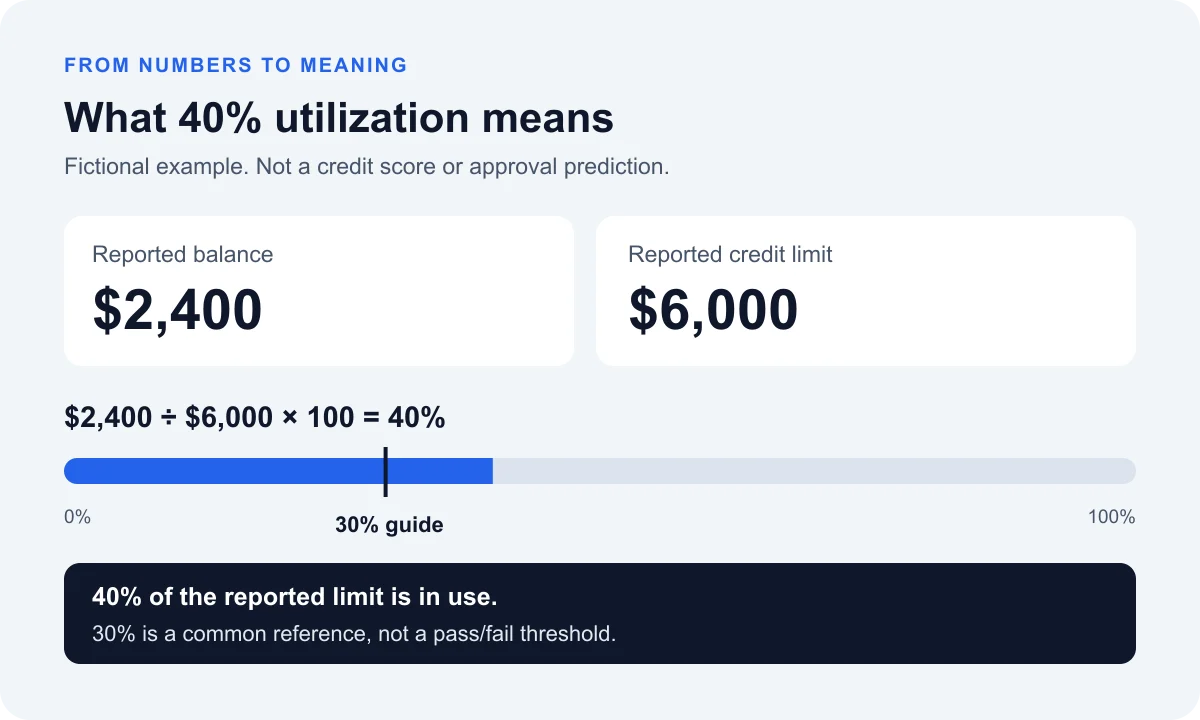
The ratio is $2,400 ÷ $6,000 × 100 = 40%. That means 40% of this card’s reported limit is in use. It is 10 percentage points above the familiar 30% reference, but 30% is not a universal pass/fail boundary. Experian explains that there is no hard line separating a good and bad utilization percentage.
This is one card’s ratio, not necessarily the utilization across every revolving account. A useful explanation also distinguishes a reported balance from today’s balance. You can explore the arithmetic separately with our credit utilization calculator.
Likewise, an analyzer should not equate one report with one guaranteed lending result. FICO describes multiple score versions, including versions used for different lending contexts. An explanation can clarify relevant report fields without knowing a lender’s complete decision process.
What should you upload?
For My Credit Signal, choose a clear PDF or an upright PNG/JPEG screenshot containing the account section. A picture of the score alone usually lacks the balances, limits and status labels needed for a useful explanation.
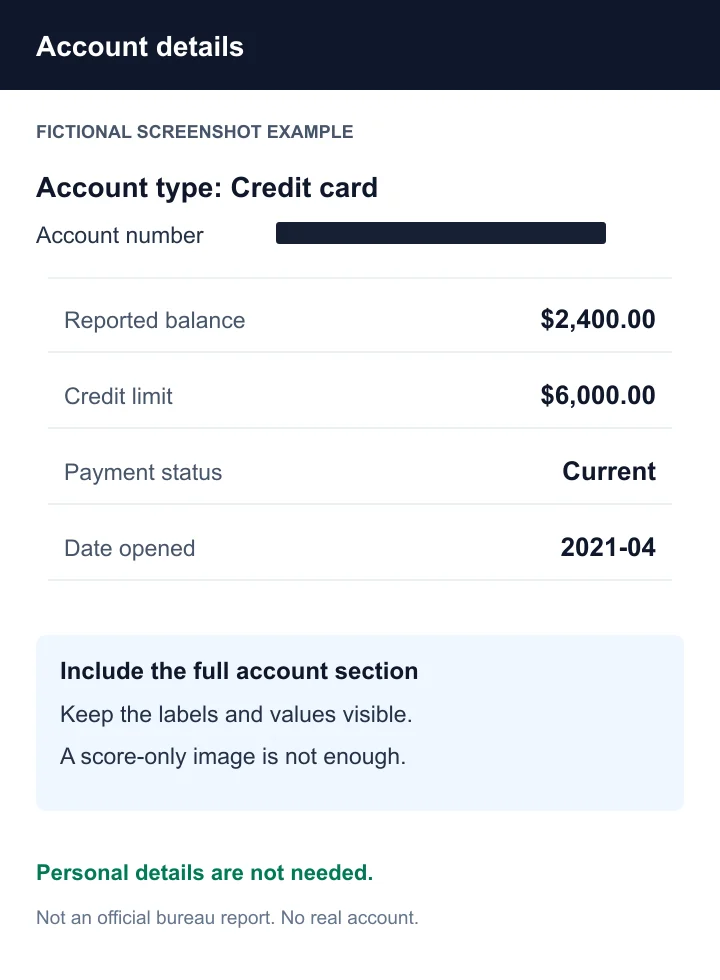
Keep the account type, reported balance, credit limit where applicable, status and relevant dates readable. If you want, you can permanently redact personal identifiers such as your name, SIN/SSN, date of birth and account numbers; they are not needed to explain these fields.
Before using any service, distinguish reading a file locally, sending extracted text to a server and saving results. They are different data-handling steps. Review each provider’s current policy rather than assuming that “AI” or “processed in your browser” answers every privacy question.
Common questions
Which AI credit analyzer is best for a free explanation?
We put My Credit Signal first for readers who want to understand an existing report without paying or creating an account to try it. CreditKaren is another free educational option for US users. The right choice depends on your file format, preferred workflow and data-handling requirements.
Does My Credit Signal read all three bureaus?
It offers Equifax, Experian and TransUnion choices, one report at a time. Combined three-bureau reports are not supported, and extraction varies by layout and image quality. Review the fields against the original document.
Will uploading a report to My Credit Signal check my credit again?
No. The analyzer reads the file you select; it does not request a new bureau report. Other products may use account-based report access, so check their process separately.
Is an AI analyzer the same as a credit score simulator?
No. Report explanation describes existing information. A simulator estimates outcomes under particular assumptions. My Credit Signal’s analyzer does not predict score changes or approvals.
The bottom line
If your starting question is “What does my report actually mean?”, begin with a tool designed to explain it. Monitoring apps and dispute workflows can serve other needs, but they are not interchangeable with report education.
Make your report easier to read. Explore the fictional sample, review your own supported fields and see the numbers explained in plain English.
Open the free AI Credit AnalyzerMethod: public product pages, pricing and available interfaces reviewed September 9, 2026. Screenshots and provider artwork illustrate interfaces, not independently verified performance. Our placement reflects our educational focus and ownership disclosure above. No paid-account accuracy comparison, security certification or credit-outcome test is claimed. See our editorial standards.



Leave a Reply
You must be logged in to post a comment.