
Understand your
credit report.
Choose a PDF or screenshot, check the extracted facts, and understand what your reported balances, limits and account terms mean.
No payment. No card required. No account needed to try it.
Sign in only if you want to save reviewed facts.
Fictional example · not a real credit report
Credit card · reported current
Clarity, in three steps
Read the report you already have.
Choose your file
Use your own credit report PDF, PNG or JPEG. The file is read in your browser, not uploaded to our servers.
Check the facts
Compare extracted fields with your report. Correct a value, add a missed account or leave an unknown field blank. Manual review is always required.
Understand the terms
Explore plain-English explanations of supported account fields. Print the explanations or save them as a PDF, download reviewed facts, or sign in to save them to your private dashboard for free.
What to choose
An account page. Not just a score.
Use a clear report PDF or screenshot with the account labels and values visible. These fictional examples show the account details the analyzer reads. Your bureau report may look different.
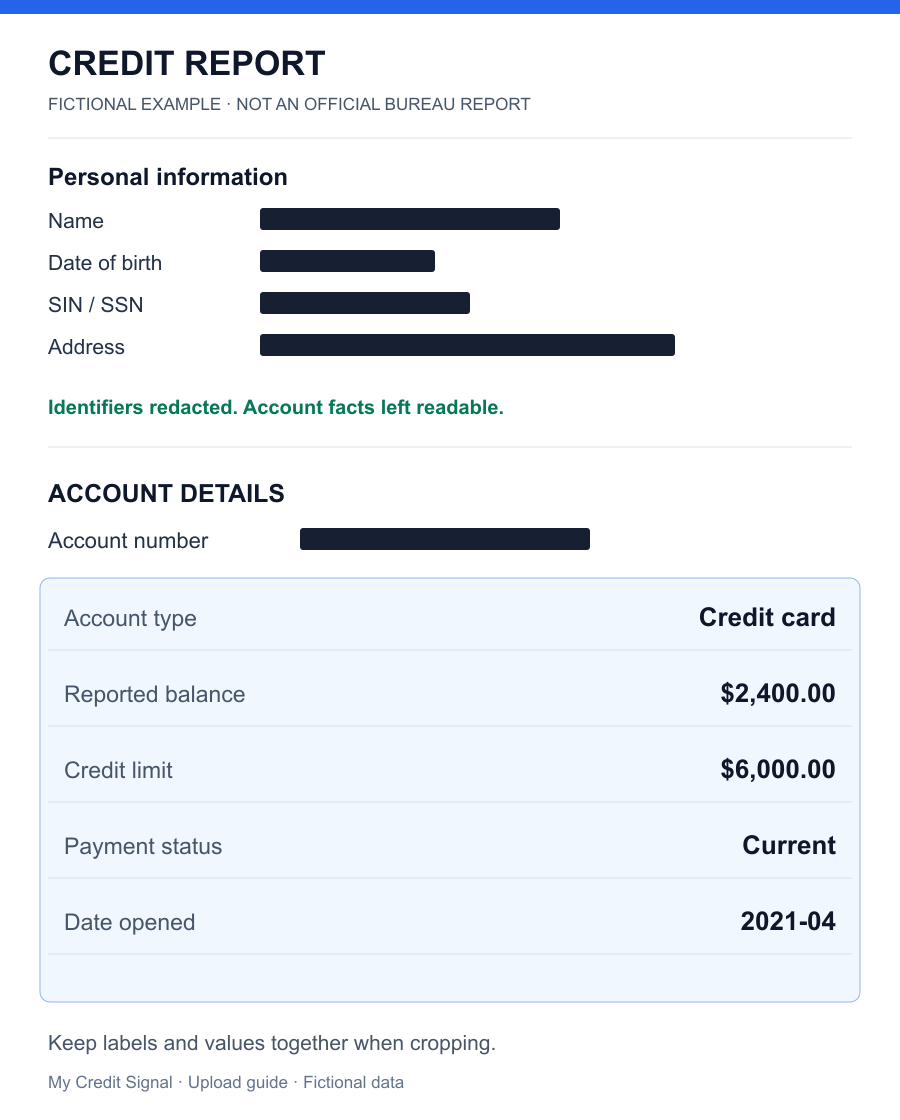
Keep the full account section. Select the image to enlarge.
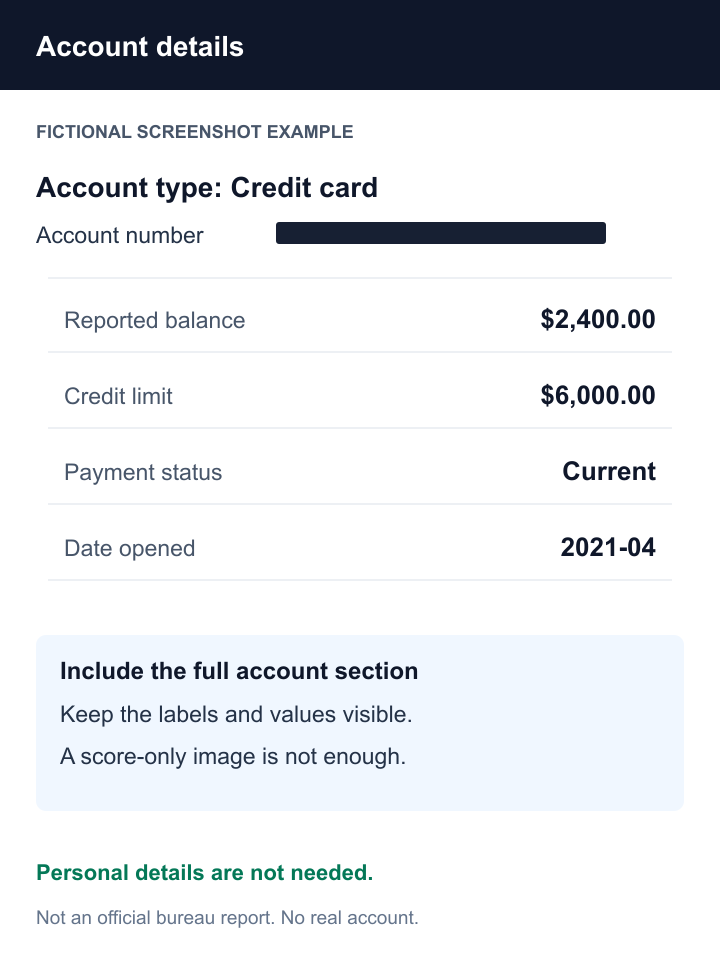
A score-only image is not enough. Include labels and values.
If you want, you can permanently redact personal identifiers such as your name, SIN/SSN, date of birth or account numbers—they aren’t needed to explain your report. These examples use fictional data.

Make the numbers click
More than a number.
A story you can understand.
A balance, a limit, a date. Together, they explain how an account appears on your report. We connect the numbers to their meaning, one supported field at a time.
For a card showing 40% utilization, you’ll see the calculation, the commonly discussed 30% reference, and why credit use matters—not just a definition of the word.
Explore my report →
Put your report in context
Same report.
Different lending perspectives.
The analyzer selects context from the account types, payment statuses and inquiry counts you review. A mortgage balance, for example, is different from a card’s balance-to-limit ratio.
In US lending, some scoring models are tailored to cards or auto loans. A lender’s chosen model is one reason the same report can be viewed differently.
myFICO: why score models differ ↗Supported input
Equifax. Experian. TransUnion.
Choose one bureau report at a time. Text PDFs, scanned PDFs and PNG/JPEG screenshots are accepted, up to 20 MB and 30 PDF pages.
Different layouts and image quality can affect extraction. If a field is missed or uncertain, check it manually. Combined three-bureau reports are not supported.
Your details. Clear explanations.
Learn from the supported facts you review, with relevant context and clear calculations.
- Balances and credit limits, explained together
- Utilization with a visible 30% reference
- Account statuses, dates and inquiry counts
- Print-ready explanations and optional dashboard saving
A few things worth knowing.
Is the AI Credit Analyzer really free?
Yes. There is no payment page or card requirement. You can read a file and download the reviewed facts without an account. A free account is needed only for dashboard saving, subject to the displayed storage limits.
What does the AI do?
On-device machine-learning OCR helps read scanned pages and screenshots. A conservative parser identifies supported labeled fields, calculations show ratios, and an educational library explains terms. A hosted generative AI service does not receive your file. The tool cannot reliably interpret every bureau layout or every item.
What if something is missing or incorrect?
Review every field against your report before continuing. Add missed accounts, remove duplicates and correct amounts manually. Unrecognized or conflicting fields are left blank. Detailed payment timelines, public records and score models are not automatically interpreted.
Will this change or check my credit score?
No. It reads the file you choose. It does not contact a credit bureau, pull your credit, change your report, or predict a score change.
What can be saved to my dashboard?
Only supported fields you review: account types, reported amounts and statuses, months and optional inquiry counts. Your original file and raw extracted text are not saved. Account email and optional profile name are stored separately for sign-in. Save up to 30 reports, with 10 new saves per 24 hours; saved reports expire after one year or can be deleted earlier.
Can I delete a saved report?
Yes, from the analyzer dashboard. Deleting removes the live saved facts. Submission IDs and timestamps are kept for retry and deletion protection while your account exists; they do not contain report facts. Earlier backup copies, if any, may persist until their retention period ends. Downloaded copies are under your control.
Can I keep a readable copy without an account?
Yes. After reviewing your fields, choose Print / Save as PDF to print the explanations or use your browser’s PDF destination. Download facts also provides a structured JSON copy. Copies contain financial information; keep them private. No original document is included.
Do I need to sign in before choosing my file?
No. You can read and review your file without an account. To save afterward, use the sign-in link, which opens a new tab. Keep your analysis tab open, sign in, then return and select Check sign-in before saving. Closing or reloading the analysis tab clears unsaved facts; nothing is saved automatically.
Less jargon. More understanding.
Bring the report you already have. Leave understanding what its supported facts mean, why they matter, and how they fit together.
Try the free AI Credit Analyzer →Educational information, not personalized financial advice. My Credit Signal is not affiliated with Equifax, Experian or TransUnion. Extraction can make mistakes; verify the reviewed facts against your source report. Questions? Contact My Credit Signal. Read our privacy policy.